Pages

Showing posts with label APPLICATION. Show all posts

Hungama brings mobile file-sharing app Huuked


Huuked is a software application for mobile phones that allows users an easy way to share your pictures, videos and other files of any size.

Hungama, a mobile and digital entertainment company, has partnered with Finnish applications developer Huuked Labs to bring a mobile file-sharing software application for Symbian Series 60 and Java enabled handsets, named as Huuked.

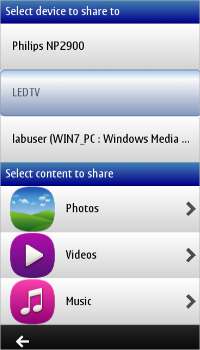
Make your Nokia smartphone play multimedia content on DLNA certified devices with this latest application from Nokia.

Nokia Play is the latest addition to Nokia's Beta labs, the trial centre for new applications that is open to users of Nokia smartphones. Nokia Play is a simple application that allows the smartphone to wirelessly connect to other devices to stream and play multimedia content on them. These devices must be within the same wireless network, enabled with the DLNA (Digital Living Network Alliance) protocol that allows digital devices to communicate with each other.
To use Nokia Play all you need is a Nokia Series 60 ^3 smartphone, a DLNA certified device (TV/DVD player or other devices) and a WiFinetwork. The application converts any Symbian S60 ^3 device into a DLNA compatible device. This technology does not, however, allow the smartphone to control other devices.

(NEW) Vnap NETbuster v1r4

Hi Friends

It gives me pleaser to introduce to you my recent creation, A Web Browser

Some of It's Unique Functions (Actually that's why I build this Browser)

* Url Handling Just (Like we do in mobile Java browsers opera mini or ucweb) - Yes It's for PC net Browsing via GPRS. (for example Airtel MO)
* Sepret Proxy Settings

It also has other functions like normal browser

* It Context Menu supports the IDM (Right Click any Link to Download, make sure if You have enabled Proxy Settings than same Proxy settings must be in IDM
* I have search function and other navigation functions

Prerequesites..
The Browser is based on DotNet 3.5(If you don't have installed Perticularly Dotnet 3.5 then install it first. You can get link from VNAP NetBuster Setup Run.

Steps to Install

Please Ensure You have Installed Dotnet 3.5 Client Side.

1. Get VNAP NetBuster Setup From:
2. Install VNAP NetBuster
3. Run VNAP NetBuster
4. Go to Settings
5. Click on Options
6. Go to URL Hanlder 
7. Specify URL Front Queary or Back Queary according to your need (If required)
(For example for Airtel MO Front Queary "http://wap.indiatimes.com/cgi-bin/nph-get.cgi/111111A/http/)
8. Go to Proxy Settings and Specify Proxy Address and Port (If required)
(For example above for Airtel MO use Proxy Address 74.3.160.66 and Port 80
9. Save Setttings
10. Exit and Reload VNAP NetBuster

And Enjoy Browsing


Request:

This Application is in beta stage. Please Provide your suggestions here or email me at vnap.netbuster@gmail.com or visit my blog vnapnet.blogspot.com


     DOWNLOAD VNAP_NetBuster.rar


Thank You
Download following if anyone is getting error.

1) 
Windows Installer sp3

2) Dotnet Framework 4.0
Online Users